
Why the Royal 550 Vending Machine Still Dominates Mid-Sized Locations
Discover why the Royal 550 vending machine dominates mid-sized locations with reliable performance, easy programming, and durable refrigeration.

Is the Royal 550 Vending Machine Right for Your Location?
The Royal 550 vending machine is a strong option for a mid-sized location that wants a dedicated cold-drink machine. It holds up to 550 12-ounce cans, and its stacker design puts substantial drink capacity in a relatively compact footprint. Before choosing one, check the space, electrical supply, drink formats you want to sell, and who will keep it stocked and working.
Capacity alone will not fix an empty machine or slow service. This review looks at what the Royal 550 does well, what setup and upkeep involve, and when a managed vending option may be a better fit.
I'm Manuel Mojica, founder of MM Healthy Vending and Vending Circle. I draw on years of placing and managing vending equipment to help you decide whether a Royal 550 vending machine fits your workplace.
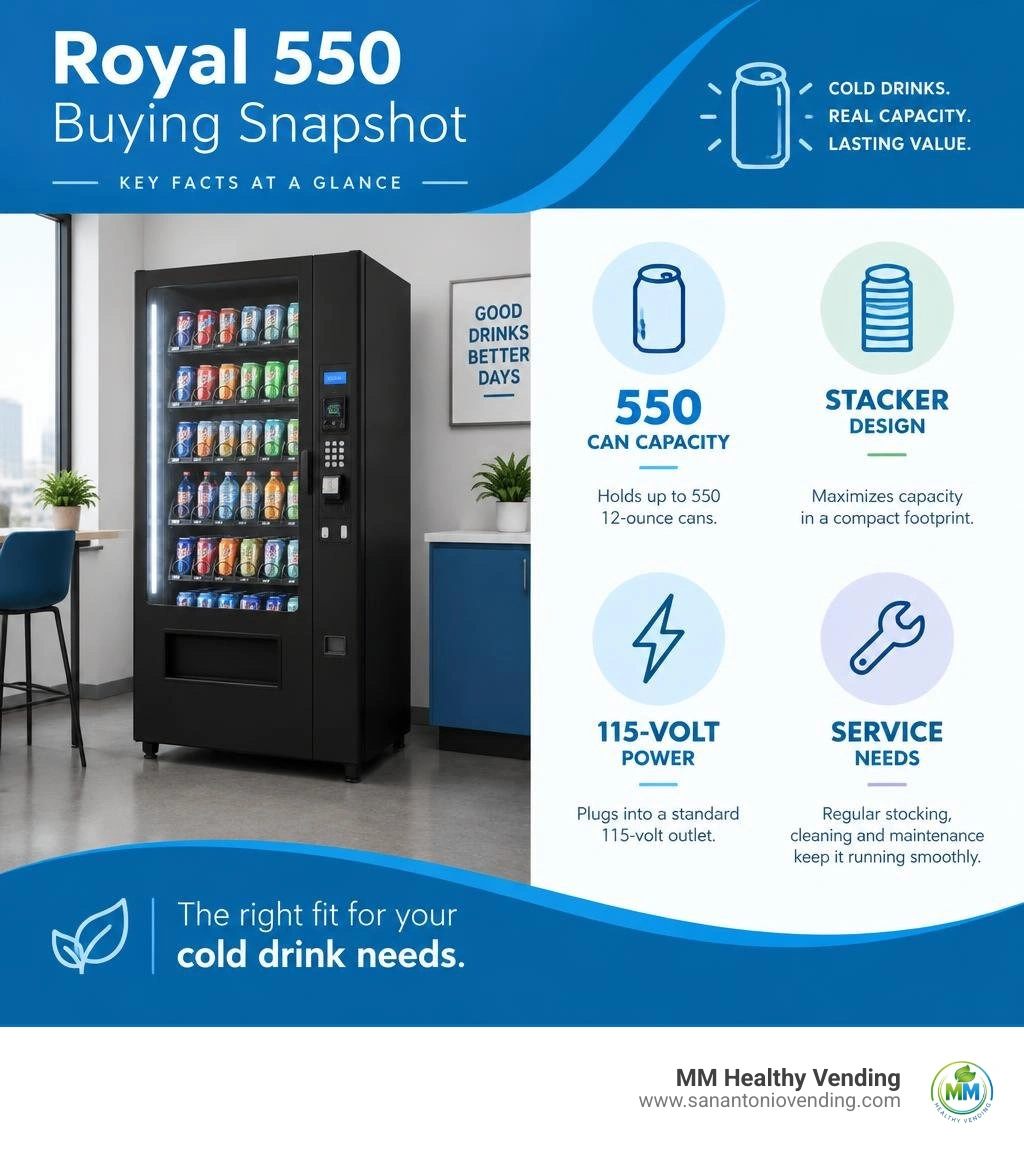
Royal 550 vending machine terms to remember:
Key Specifications of the Royal 550 Vending Machine
When choosing commercial beverage hardware, physical footprint and storage volume are two sides of the same coin. The Royal 550—specifically manufactured under Royal Vendors' renowned GIII (Generation III) and GIII Plus lines—was engineered precisely to maximize drink storage without consuming excess floor space.
The machine holds a maximum of 550 standard 12-oz beverage cans across its multi-column live-display or closed-front architecture. Depending on the styling package, operators encounter two primary builds: the sleek Chameleon door model and the contoured 3D Vis (High Visibility) model.
Both variations run on a standard North American 115 VAC power supply at 60 Hz, drawing approximately 9 Amps under full compressor startup load. Cooling is powered by a sealed refrigeration deck charged with 6.5 oz (0.18 kg) of environmentally standard R134a refrigerant.
| Specification | Chameleon Model | 3D Vis Model |
|---|---|---|
| Total Can Capacity (12 oz) | 550 cans | 550 cans |
| Height | 72.00 inches (183.0 cm) | 72.83 inches (185.0 cm) |
| Width | 31.00 inches (79.0 cm) | 31.68 inches (80.5 cm) |
| Depth | 34.00 inches (86.5 cm) | 35.09 inches (89.1 cm) |
| Empty Weight | 536 lbs (243 kg) | 544 lbs (247 kg) |
| Electrical Rating | 115 VAC, 60 Hz, 9.0 A | 115 VAC, 60 Hz, 9.0 A |
| Refrigerant Charge | 6.5 oz R134a | 6.5 oz R134a |
| Pricing Range | $0.00 – $99.95 per selection | $0.00 – $99.95 per selection |
Understanding these physical specs helps you budget your breakroom footprint effectively. If you are comparing acquisition costs across different equipment styles, check out our commercial drink machine pricing considerations.
Royal 550 Vending Machine Installation and Leveling
A seamless installation prevents mechanical vend jams, coin return hang-ups, and door-seal frost leaks. When moving a Royal 550 onto a site in San Antonio, Boerne, or New Braunfels, take a systematic approach:
- Uncrating and Pallet Removal: Inspect the external cabinet for shipping damage before removing the protective wrap. Walk the unit off the pallet using an industrial appliance dolly or pallet jack rated for at least 700 lbs.
- Leveling the Base: Adjust the four heavy-duty threaded leveling legs at each corner. Use a spirit level placed directly on the top cabinet edge and inside the main floor. The machine must sit level or tilt back very slightly (less than 1/8 inch) so the heavy front door swings shut smoothly and seals airtight.
- Ventilation Clearances: Maintain a mandatory clearance of at least 4 inches (10 cm) between the back of the cabinet and the wall. Restricting condenser airflow traps heat, elevates compressor head pressure, and causes premature refrigeration failure.
- Electrical Safety and ESD Precautions: Plug the 3-prong grounded power cord into a dedicated 15 Amp, 115 VAC circuit. Never use extension cords. Control boards operate delicate digital logic—even an electrostatic discharge (ESD) shock as low as 100 Volts can corrupt memory chips or fry microprocessor pins. Always ground yourself against the raw steel frame before touching internal wiring harnesses.
Core Mechanical and Refrigeration Architecture
The inner cabinet of the Royal 550 contains several tightly integrated electromechanical systems working in harmony:
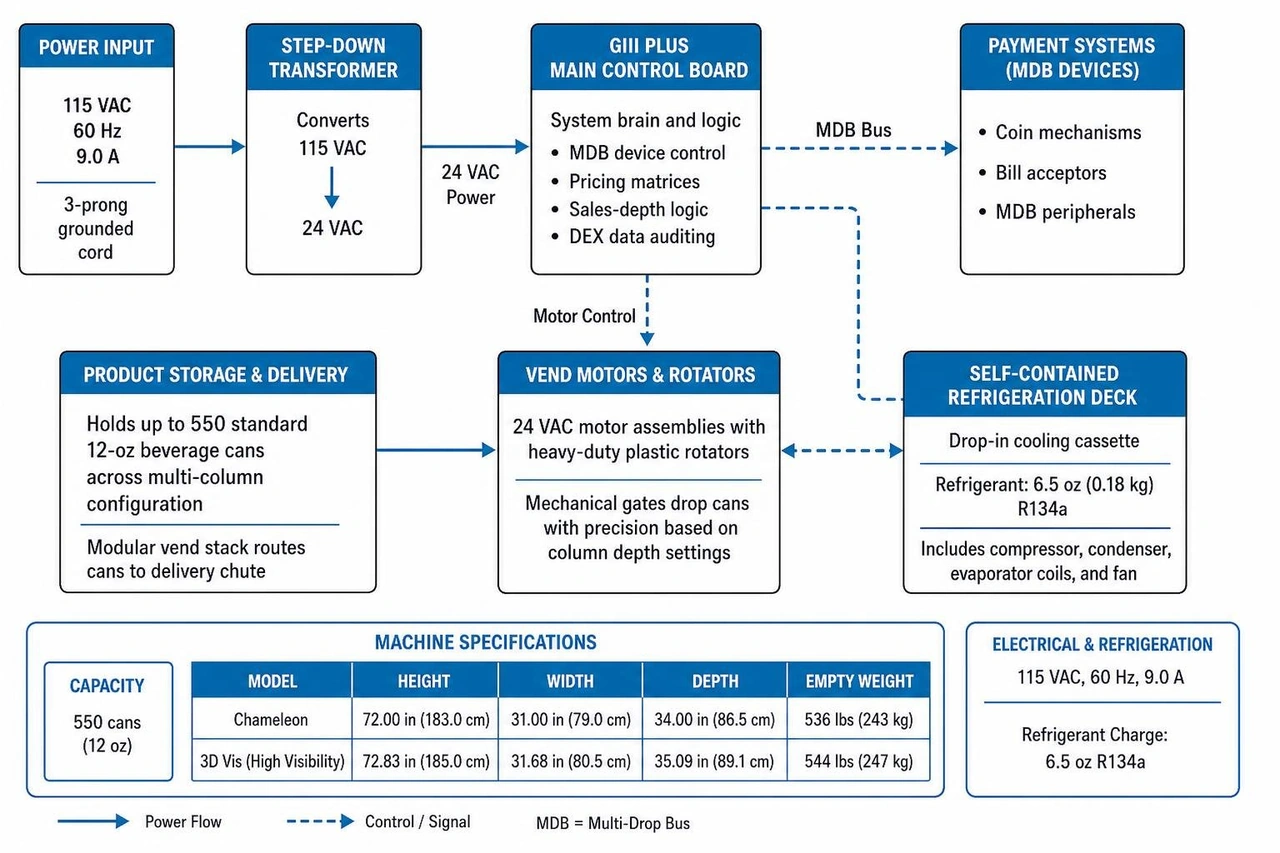
- Low-Voltage Step-Down Transformer: Converts incoming 115 VAC wall power down to 24 VAC, safely supplying electricity to the main GIII control board, MDB validator peripherals, and vend motors.
- GIII Plus Main Control Board: The computational brain of the unit. It manages multi-drop bus (MDB) coin mechanisms, bill acceptors, DEX data auditing ports, pricing matrices, and sales-depth logic.
- Modular Vend Stack and Motors: Uses individual 24 VAC motor assemblies paired with heavy-duty plastic rotators. The rotators drop cans with precision using mechanical gates matched to column depth settings.
- Self-Contained Refrigeration Deck: A drop-in cooling cassette located in the lower belly pan. It combines the evaporator coils, fan, compressor, and condenser for simple field replacement during scheduled overhauls. Official schematics and wiring diagrams can be found in the manufacturer's vender manuals documentation.
Setup, Electronics, and Programming Guide
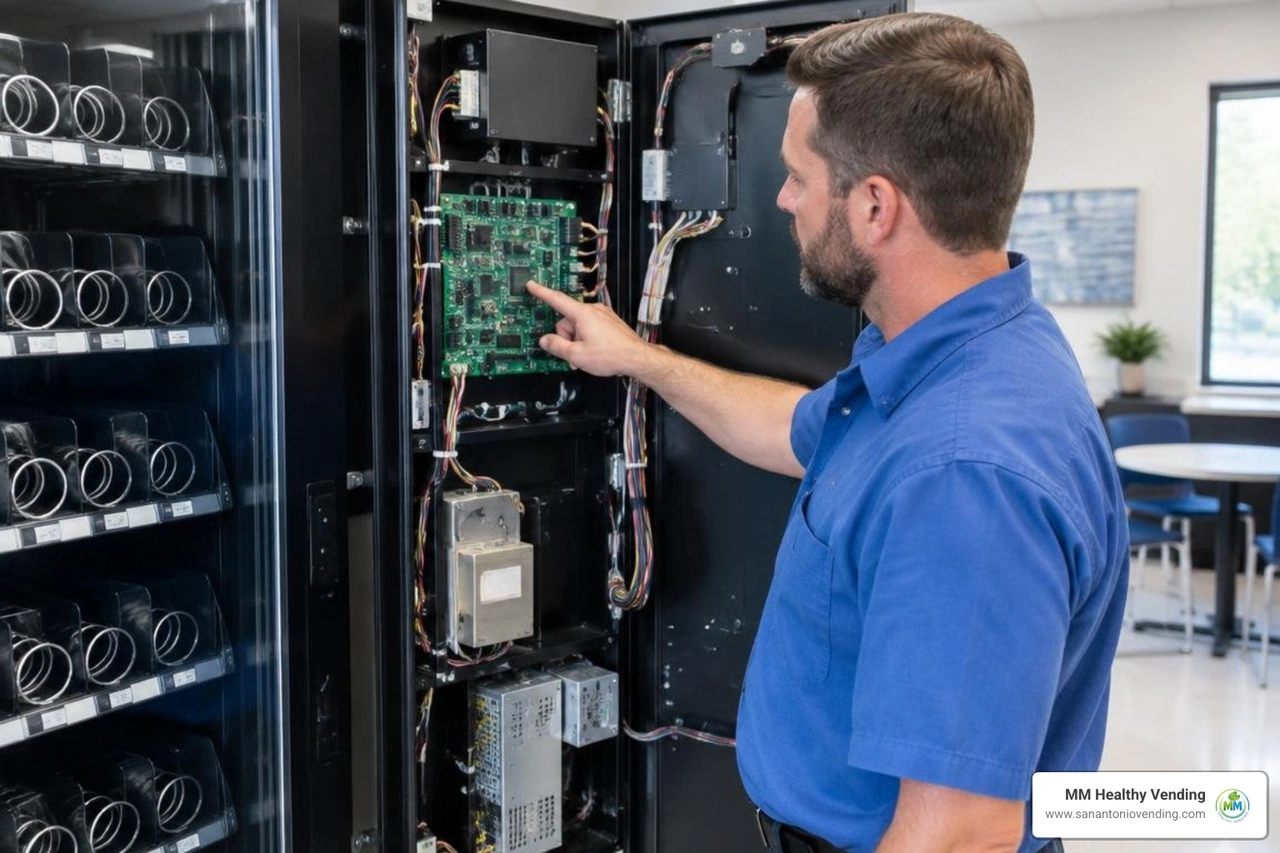
Configuring the Royal 550 requires opening the main door and accessing the four-button programming cluster on the GIII Plus control board. The digital LED display on the front door shows real-time menu abbreviations as you navigate the options.
The four internal pushbuttons serve standard control functions:
- Button 1 (Left / Up): Scrolls forward through menus or increments numeric values upward.
- Button 2 (Right / Down): Scrolls backward through menus or decrements numeric values downward.
- Button 3 (Enter / Select): Enters sub-menus and confirms adjusted settings.
- Button 4 (Escape / Exit): Steps back one directory level or exits programming mode.
When setting up your beverage inventory, follow our comprehensive cold drink machine operational setup standards for optimal shelf life and profit margins.
Programming Space-to-Sales on the Royal 550 Vending Machine
"Space-to-Sales" (STS) allows operators to assign multiple physical vertical columns to a single front-door selection button. For high-velocity beverages like classic cola or sparkling water, linking two or three columns to one button ensures the selection will not sell out mid-week.
To map your columns:
- Press the blue service mode button on the control board. The display will read
CASH. - Press Button 1 until the display reads
StS(Space-to-Sales). Press Button 3 (Enter). - The display prompts
SL 1(Selection 1). Use Button 3 to see which physical columns (Col 1,Col 2, etc.) are linked. - Toggle columns on (
1) or off (0) for that selection using Buttons 1 and 2, then confirm with Button 3. - Repeat for all customer-facing buttons.
- Once column depths and selections are configured, press Button 4 repeatedly to save and return to normal sales mode. For a detailed video walkthrough of this specific stacker process, refer to the tutorial on how to program sales depth in Royal soda machines.
Delivery Chute Sensor Calibration and Trimpot Tuning
Modern Royal 550 units use an optical delivery chute sensor board to verify that a product physically drops into the delivery hopper when a selection is made. If a product fails to fall, the optical sensor detects the empty chute, prevents the customer from losing their money, and prompts the machine to re-spin the rotator or make another selection.
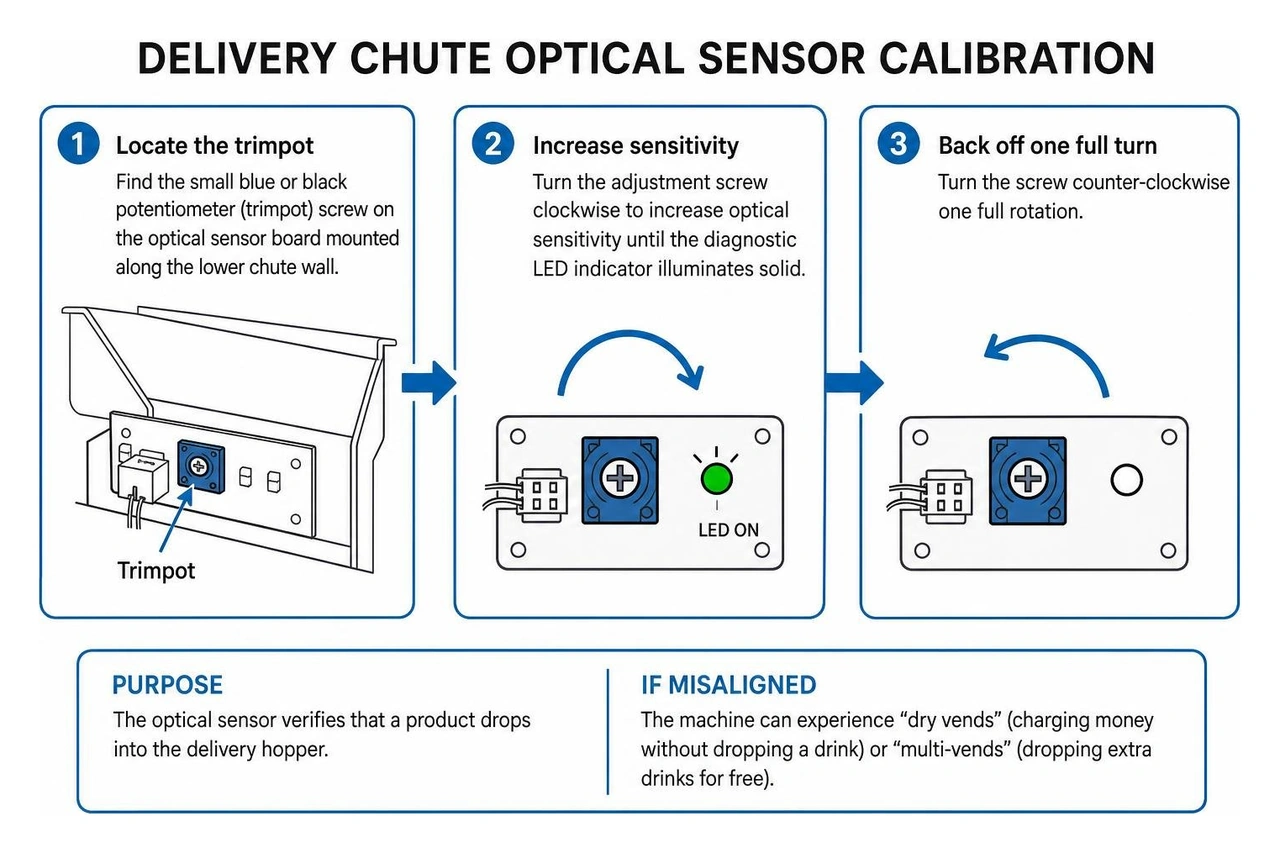
If the sensor is misaligned, the machine can experience "dry vends" (charging money without dropping a drink) or "multi-vends" (dropping extra drinks for free). To calibrate the optical sensitivity:
- Locate the small blue or black potentiometer (trimpot) screw on the optical sensor board mounted along the lower chute wall.
- Turn the adjustment screw clockwise to increase optical sensitivity until the diagnostic LED indicator illuminates solid.
- Turn the screw counter-clockwise one full rotation.
- Fine-tune in 1/4-turn increments, running test vends using empty and full cans to verify that the board registers the drop reliably without triggering false alarms from ambient breakroom lighting.
Diagnostic Troubleshooting and Maintenance Best Practices

Keeping a drink machine running smoothly requires structured preventive service. When an operational fault occurs, the GIII Plus control board logs error codes in its internal memory. Entering service mode and navigating to the EROR menu pinpoints the exact component needing attention.
- Vend Motor Jams (
JAm 1-JAm 10): Indicates a column rotor is mechanically stuck. Unplug the machine, open the front door, clear the obstructed can from the gate, and check the 24 VAC motor harness for pinched wires. - Refrigeration Errors (
rEFr): Indicates the cabinet temperature has remained above preset safety thresholds for more than 4 hours. Check whether the condenser fan is running and inspect the condenser coils for lint blockage. - Coin Changer Faults (
CJC/no CC): Indicates an MDB communication drop or a jammed coin path. Disconnect and re-seat the 6-pin MDB harness on the control board, wipe the coin sizing sensors with isopropyl alcohol, and clear any bent coins from the acceptor throat. - Transformer and Board Power Faults: If the door display goes completely dark, use a digital multimeter to measure the primary output of the low-voltage step-down transformer. It should deliver between 22 and 26 VAC. If the voltage reads 0 VAC, inspect the in-line 3 Amp glass fuse on the power bracket and replace it if blown.
- Condenser Coil Hygiene: Vacuum or brush dust from the lower condenser fins every 60 to 90 days. Built-up lint traps heat, doubling compressor runtimes and spiking electric utility bills.
- Gasket Sealing Checks: Place a dollar bill between the rubber door gasket and the steel cabinet, close the door, and pull. If the bill slides out with zero resistance, adjust the door latch assembly or replace the gasket to prevent moisture leaks and internal frost buildup.
For businesses looking to avoid the hands-on burden of component repairs, reading our guide on preventative vending machine maintenance highlights why routine servicing is so important.
Evaluating the Royal 550 for Modern Operations
The Royal 550 remains a popular workhorse in commercial vending because it strikes a practical balance between holding capacity, physical size, and mechanical simplicity.
High-Volume Capacity in a Manageable Footprint
Holding 550 standard cans allows mid-sized locations—such as corporate offices with 40 to 150 employees, manufacturing plants, auto dealerships, and healthcare facilities—to go two full weeks between restocking visits. It eliminates the frequent stockouts that plague smaller 300-can machines without demanding the extra floor space of a 40-inch wide Royal 660 or 804.
Packaging Versatility and Stacker Adjustability
While built natively for 12-oz aluminum cans, the Royal 550 stacker mechanism can be adapted to vend 16.9-oz water bottles, 20-oz soda bottles, and 8.4-oz energy drink cans using drop-in spacer shims, rod retainers, and motor cam adjustments. These conversion kits make the machine flexible enough to serve changing workplace tastes across Texas breakrooms.
Energy Management Software (EMS)
The built-in EMS firmware allows operators to program specific energy-saving schedules. You can set the machine to shut off door lights and cycle the compressor higher during non-business hours (like weekends and overnight shifts), significantly reducing electric utility costs without letting drinks get warm before morning staff arrive.
If you are evaluating how this unit stacks up against glass-front merchandisers or snack units, read our guide to evaluating top commercial vending equipment, and see how to optimize workplace breakroom drink options across diverse commercial spaces.
Frequently Asked Questions about the Royal 550
How many cans can the Royal 550 hold?
The Royal 550 holds up to 550 standard 12-ounce beverage cans when all internal stacker columns are configured for maximum can depth. If you install conversion kits for 20-oz plastic bottles, the total capacity decreases to approximately 240 to 280 bottles depending on column geometry and bottle diameter.
What electrical requirements are needed for the Royal 550?
The machine runs on standard 115 VAC power at 60 Hz and requires a dedicated 15 Amp grounded wall receptacle. Its typical operating draw is approximately 9 Amps during active compressor cooling cycles. An internal step-down transformer reduces this line voltage to 24 VAC to safely run the main control board and mechanical vend motors.
How do you resolve delivery chute sensor errors?
Enter the internal service programming menu by pressing the blue control board button, navigate to dSt (Delivery Sensor Test), and check the live status LED. If the sensor is failing to detect drops or is throwing false error flags, use a precision screwdriver to adjust the trimpot screw on the chute sensor board clockwise to increase optical sensitivity, or counter-clockwise to reduce sensitivity. Make sure the sensor lenses are free from dirt, syrup residue, or foreign debris.
Conclusion
The Royal 550 vending machine remains a trusted standard for mid-sized commercial beverage dispensing. Its heavy-duty steel cabinet, 550-can payload, reliable mechanical drop gates, and field-proven GIII electronics make it a durable workhorse for facilities across San Antonio, Alamo Heights, Schertz, Helotes, and Seguin.
However, owning and managing vending equipment independently means taking on direct responsibility for moving 500-lb cabinets, troubleshooting circuit boards, unjamming coin mechanisms, and paying for replacement parts.
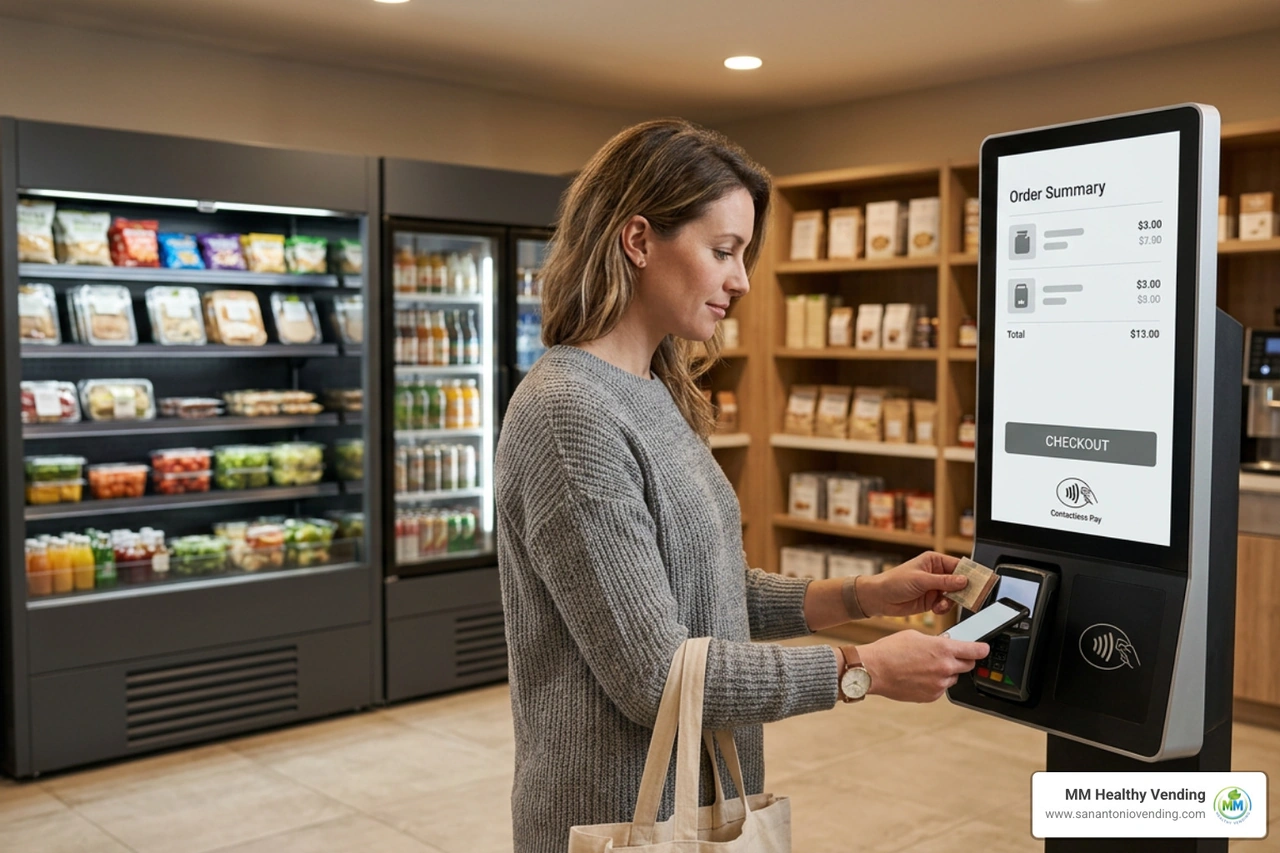
At MM Healthy Vending, we offer a hassle-free alternative. We provide free vending machines, modern micro markets, and smart AI coolers with zero equipment costs, zero maintenance fees, and zero restocking headaches for qualifying local businesses. Our team handles complete delivery, daily inventory replenishment, and rapid 2-hour local dispatch service to keep your breakroom running smoothly.
Ready to upgrade your breakroom without spending thousands on hardware? Learn more about our managed workplace refreshment programs and let our team handle everything for your staff today.
You might also like...
More articles like the one you've read to keep you up-to-date on all things vending in San Antonio
Why San Antonio businesses choose us
Premium service, local expertise, cutting-edge technology
AI-powered smart coolers
Advanced computer vision technology for seamless, cashless transactions. Just grab what you need and go.
cashless
24/7 service
Round-the-clock support with an average 2-hour response time for any issues.
Local & trusted
Family-owned business proudly serving San Antonio since 2024
Ready to upgrade your breakroom?
Join hundreds of San Antonio businesses enjoying free, premium vending soutions