
What to Do When a Vending Machine Goes Out of Service
Learn why your vending machine out of service, how to troubleshoot common faults, and when to call a professional for fast repair.
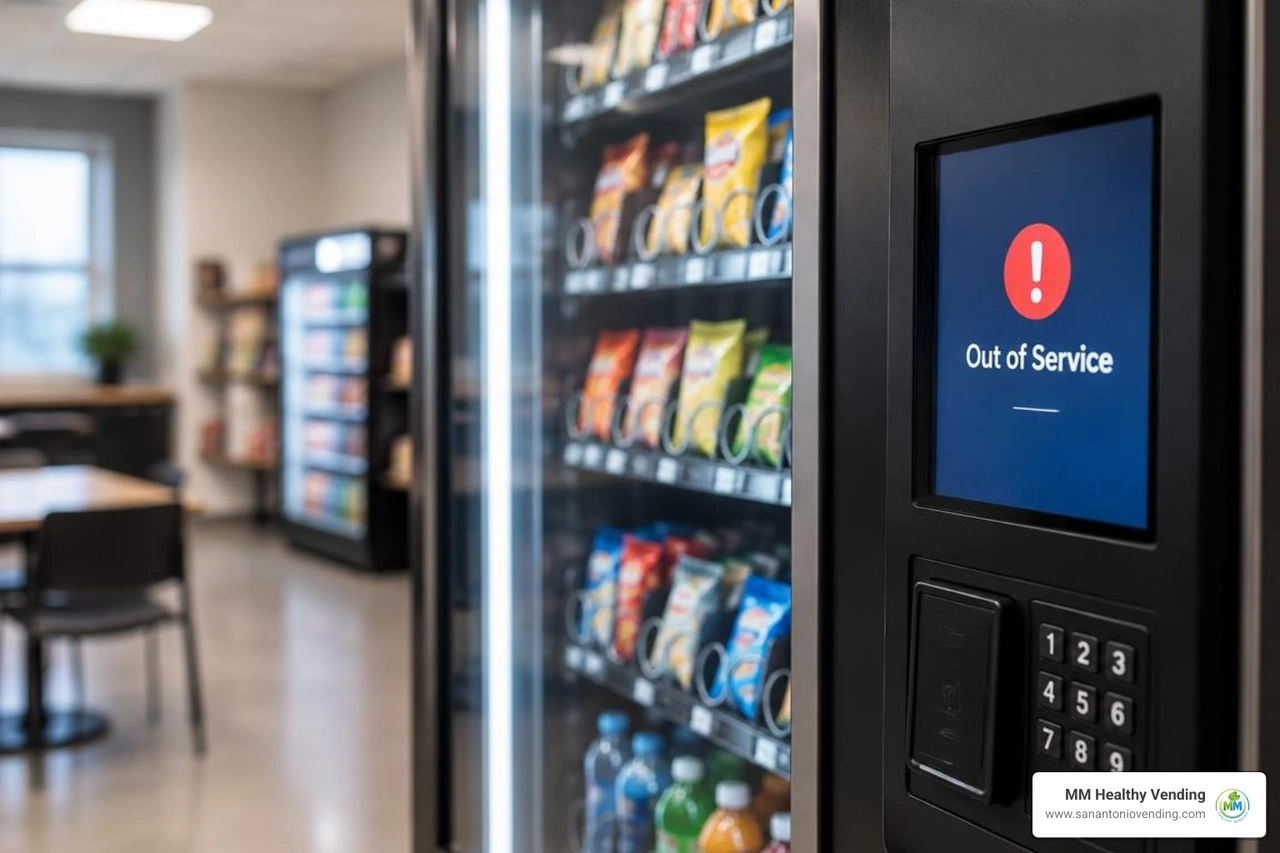
What to Do When a Vending Machine Is Out of Service
If a vending machine is out of service, check its display and note the error message. Look for a power issue, a visible product jam, or a payment failure. Do not shake the machine or reach into moving parts. If it shows a temperature or health and safety alarm, stop sales and contact the operator; perishable food may be unsafe. Report the machine number, exact location, and symptoms so the service team can act quickly.
I'm Manuel Mojica, founder of MM Healthy Vending and Vending Circle. My experience managing commercial vending equipment helps me sort a vending machine out of service issue into two questions: what can be checked safely, and what needs a technician?
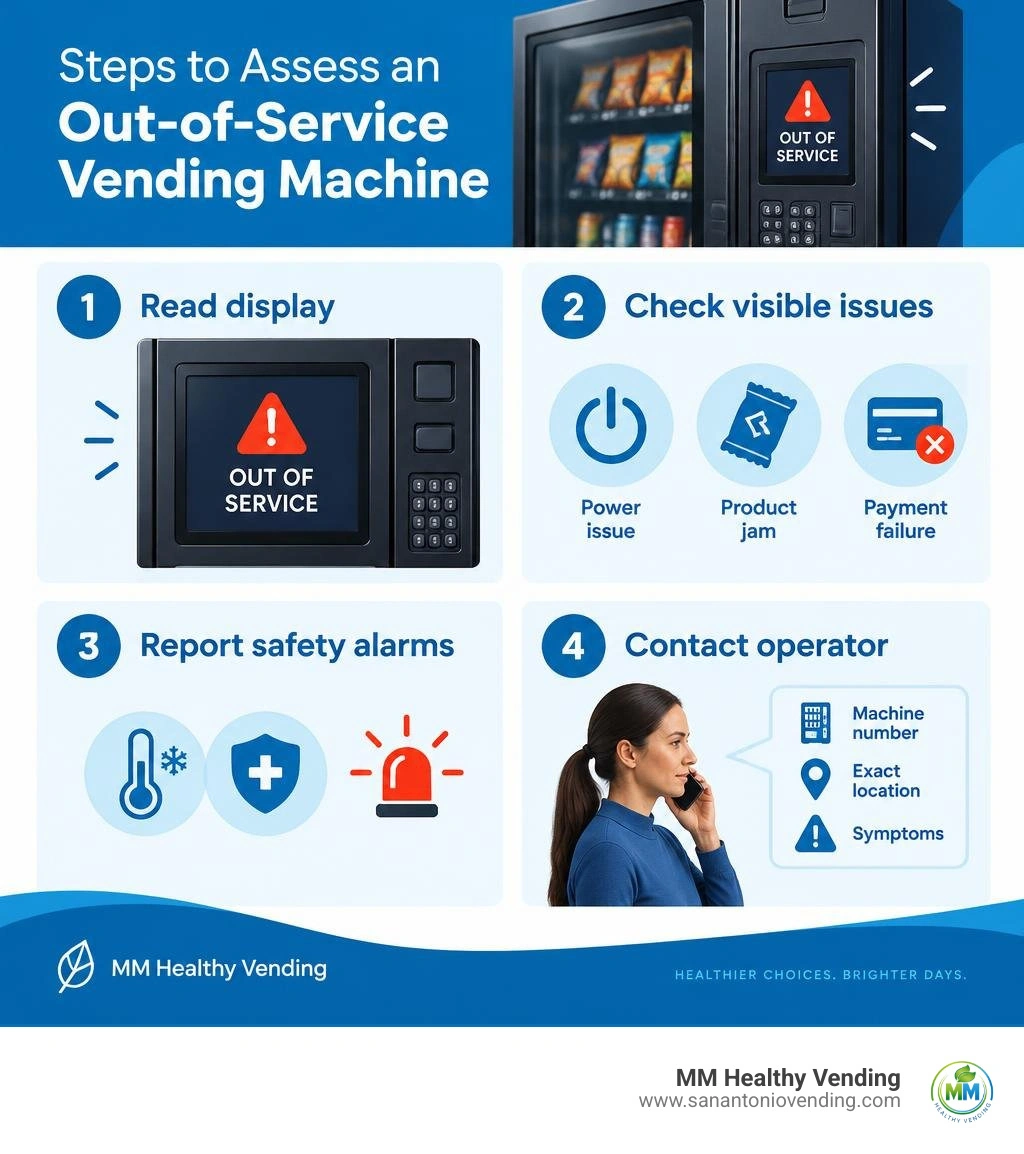
Important vending machine out of service terms:
Why a Vending Machine Is Out of Service: Most Common Causes
When a commercial dispenser shuts down, it is rarely random. Modern equipment runs continuous self-diagnostics through its internal Multi-Drop Bus (MDB) network. If a sub-assembly fails to respond or reports an unsafe operating condition, the main logic board enters an out-of-service lockout state to protect consumers, preserve fresh goods, and prevent motor burnouts.
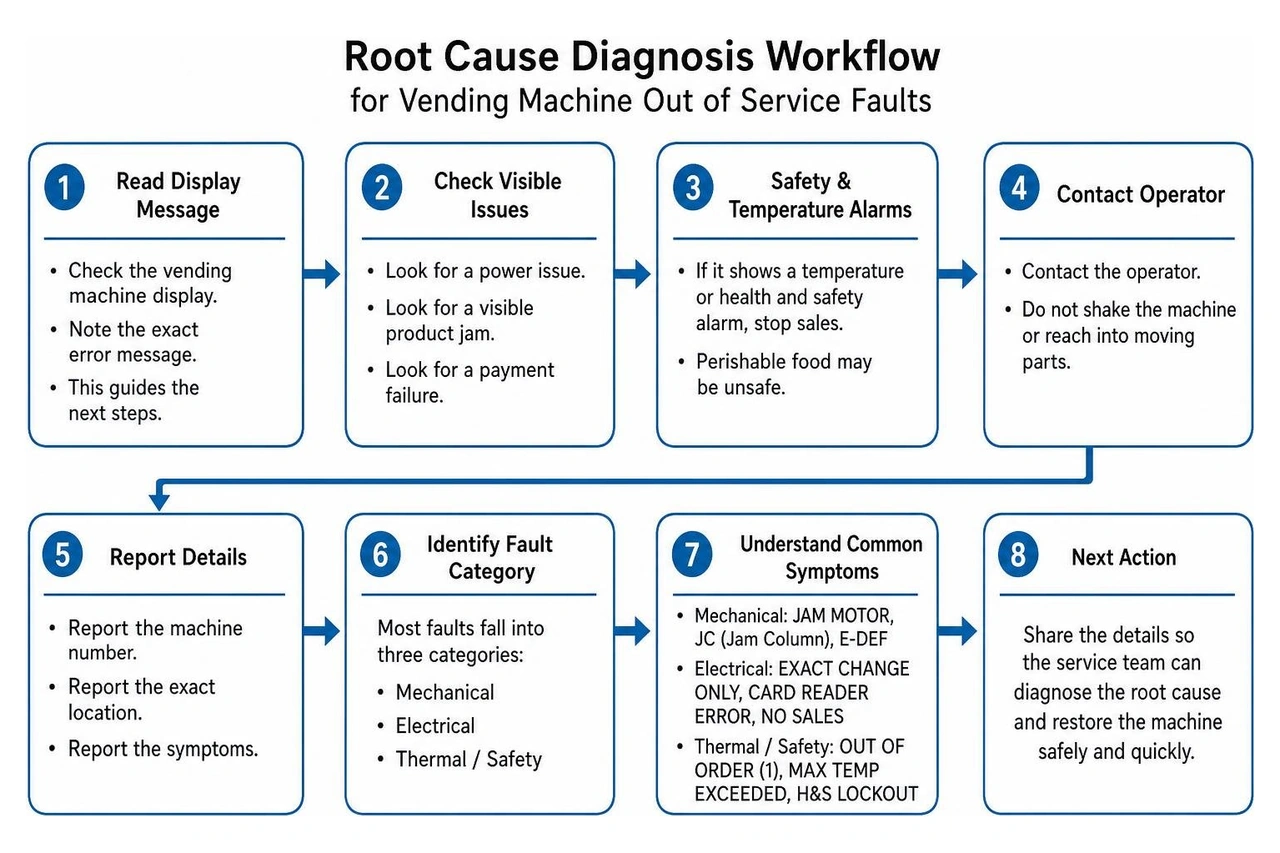
Understanding the root cause is the first step toward getting snacks and cold beverages flowing again. Most system interruptions fall into mechanical, electrical, or thermal categories:
| Category | Primary Fault Trigger | Common Display Symptom | Immediate Impact |
|---|---|---|---|
| Mechanical | Spiral motor stall, elevator misalignment, coin chute jam | JAM MOTOR, JC (Jam Column), E-DEF | Specific column or entire machine disables vending |
| Electrical | Bill validator optical dirt, card reader network drop, loose MDB harness | EXACT CHANGE ONLY, CARD READER ERROR, NO SALES | Payment rejected; machine remains powered but inaccessible |
| Thermal / Safety | Temperature above 42°F for 15+ mins, door switch failure, slow refrigeration pull-down | OUT OF ORDER (1), MAX TEMP EXCEEDED, H&S LOCKOUT | Machine locks down all purchases; refrigeration safety cut-off |
Equipment downtime does more than irritate hungry staff; it directly drains revenue. In the vending industry, an unexpected outage that keeps a machine down for just three days can easily translate to losing five full days of sales momentum. Foot traffic diverts elsewhere, and consumer trust takes time to rebuild. For complex electronics or deep refrigeration faults, scheduling professional vending machine service ensures hardware is restored properly without risking further damage.
Why Payment and Dispense Failures Put a Vending Machine Out of Service
Payment mechanisms are the front line of every automated retail unit. When a coin validator jams, a bill reader's optical path becomes clouded with dust, or a telemeter loses cellular connectivity, the system will often lock out purchases rather than risk taking money without dispensing goods.
- Coin Acceptors & Tube Inventory: Modern coin changers require an active balance across their inventory tubes to make change. If the coin cassette runs dry or foreign debris blocks the coin acceptance gate, the unit may drop into an "Exact Change Only" mode. If the payout motor jams, the board often shuts the entire machine down.
- Bill Validators: Bill acceptors rely on precise optical lenses and magnetic sensors to validate paper currency. Wrinkled notes, dirt, or gum can trap bills in the transport path, halting cash acceptance immediately.
- Cashless Readers: Modern card readers and mobile tap interfaces rely on steady wireless data connections. If poor building penetration or carrier drops disrupt communication with the processing gateway, cashless sales fail, which can freeze automated checkout routines.
- Dispense Sensors & Motors: Down inside the delivery bin, infrared optical sensors (such as drop sensors) verify that a selected product actually drops through the delivery beam. If a spiral motor turns but nothing falls—or if the optical beam remains blocked by a wedged item—the machine will disable that specific motor or declare a system-wide fault to prevent repeated customer charges.
How to Verify If a Vending Machine Out of Service Sign Is Legitimate
Believe it or not, sometimes an out-of-service condition is not caused by hardware failure at all. Vandalism, pranks, and unauthorized signage can fool customers and facility managers for days. There are documented real-world cases highlighting sales disruption from false out-of-order signs, such as when an operational retail kiosk in a busy mall lost five days of revenue simply because an unauthorized sign went unnoticed by staff.
To check if an outage sign is real:
- Check the Digital Display: Commercial units feature backlit vacuum fluorescent displays (VFD) or digital screens. If the display shows normal scrolling pricing, greeting prompts, or credits, but a handwritten paper note says "Broken," someone may have posted a fake notice.
- Inspect Payment LED Indicators: Working bill validators and cashless tap readers show steady green or blue operational lights. Flashing error patterns or complete darkness indicate legitimate hardware faults.
- Review Security Footage: If your business in San Antonio, Boerne, or New Braunfels has security cameras covering break rooms or lobbies, check for unauthorized tampering.
- Report Vandalism: If you confirm physical tampering, notify building security or file a report so property management can monitor the area.
Mechanical and Elevator Troubleshooting Procedures
Elevator-style vending units are widely used for delicate snacks, fresh food platters, and glass bottled drinks because they pick up items directly and lower them gently into the delivery port. However, because these systems contain moving carriages, limit switches, and motor drives, mechanical misalignments can bring the whole system to a halt.
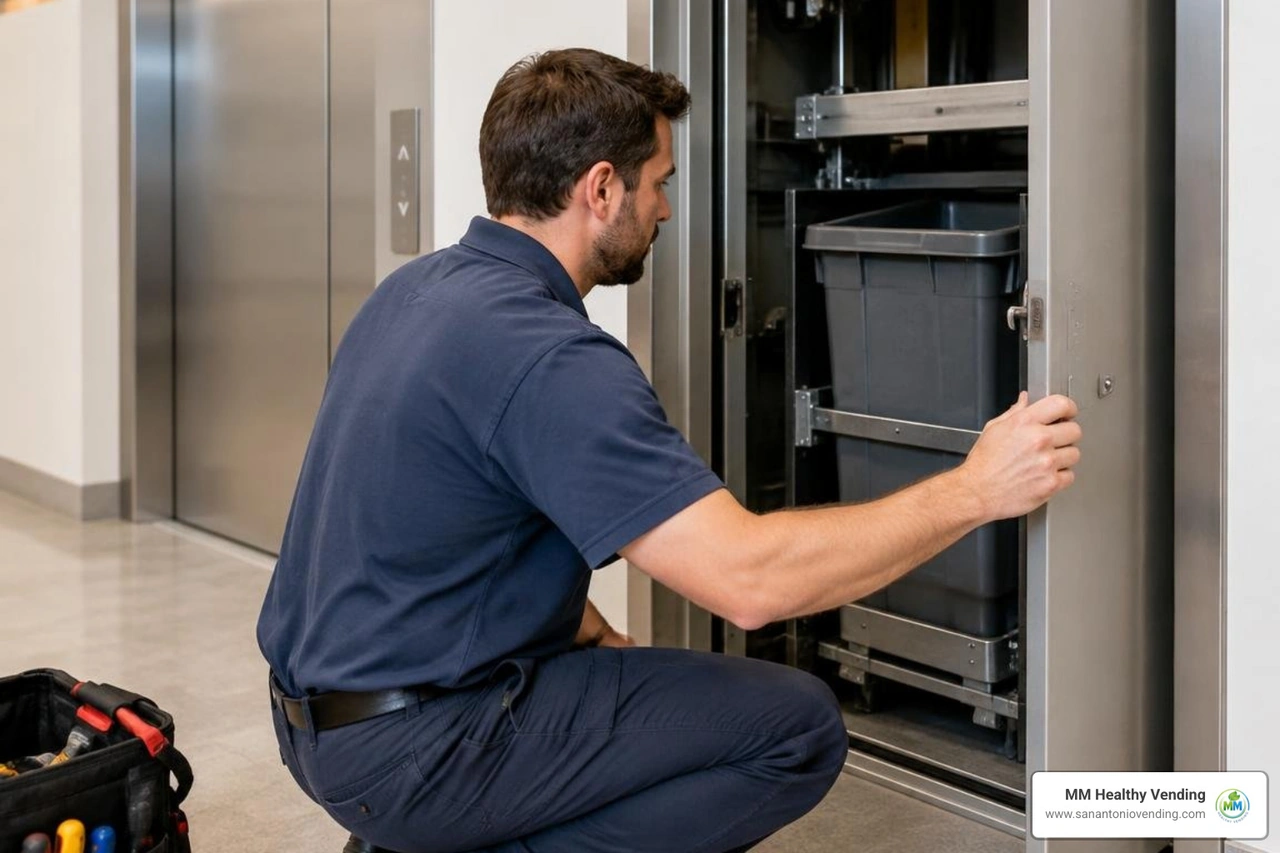
When an elevator bin misaligns, the control board senses that the carriage has failed to reach its home position, locking down the machine. If simple adjustments do not resolve the issue, seeking qualified local vending machine repair will protect the motor assemblies from long-term wear.
Adjusting Misaligned Elevator Bins
A classic elevator symptom occurs when the bin rises twice, attempts to find its reference point, and stops dead at the top of the cabinet. This happens because the carriage failed to engage the top mechanical limit switch.
To correct this physical misalignment:
- Disconnect Power: Turn off the master power switch or unplug the unit to avoid motor damage or pinch hazards.
- Decouple the Elevator Motor: Disconnect the motor connector at the top of the assembly track to allow safe manual movement.
- Manually Level and Lower the Bin: Support the left side of the carriage while applying firm, steady vertical pressure on the right side until you hear a clear, audible click. This resets the carriage track teeth.
- Inspect Limit Switch Contact: Manually raise the bin back to the top of its travel. Verify visually that the right tab of the bin firmly depresses the actuator arm of the top limit switch. If it misses, adjust the carriage notch by notch along its drive belt.
- Reconnect and Test: Plug the motor harness back in, restore main power, and run a test vend sequence through the service menu to confirm smooth cycling.
Resolving Column Jams and Delivery Motor Errors
Traditional drink and can dispensers encounter jams when product dimensions sit incorrectly in the delivery chutes or when cans deform inside the drop path. On common drink platforms, detailed Dixie Narco beverage machine troubleshooting often identifies error codes like JC (Jam Column) or Err def.
- Clearing Column Obstructions: Unplug the machine, open the main door, and inspect the delivery rotor. Clear any dented cans or wedged bottles from the column gate.
- Inspecting Gears and Motor Brakes: Sticky motor brakes can cause bottle holders to stop mid-rotation. Inspect the drive gears for foreign objects, clean away sticky residue, and use only food-safe lubricants on moving plastic assemblies.
- Power Cycling: Reset temporary logic board glitches by powering down the machine for 30 to 60 seconds. When power returns, the board will cycle each motor to check its home switch position.
Diagnosing Temperature, Health, and Safety Alarms
Refrigerated food and beverage machines carry strict health and safety (H&S) software protections. Under National Automatic Merchandising Association (NAMA) standards, automated food dispensers are legally mandated to lock out sales if storage temperatures rise into the food-danger zone. This safety feature protects consumers from spoiled dairy, fresh sandwiches, or temperature-sensitive drinks.
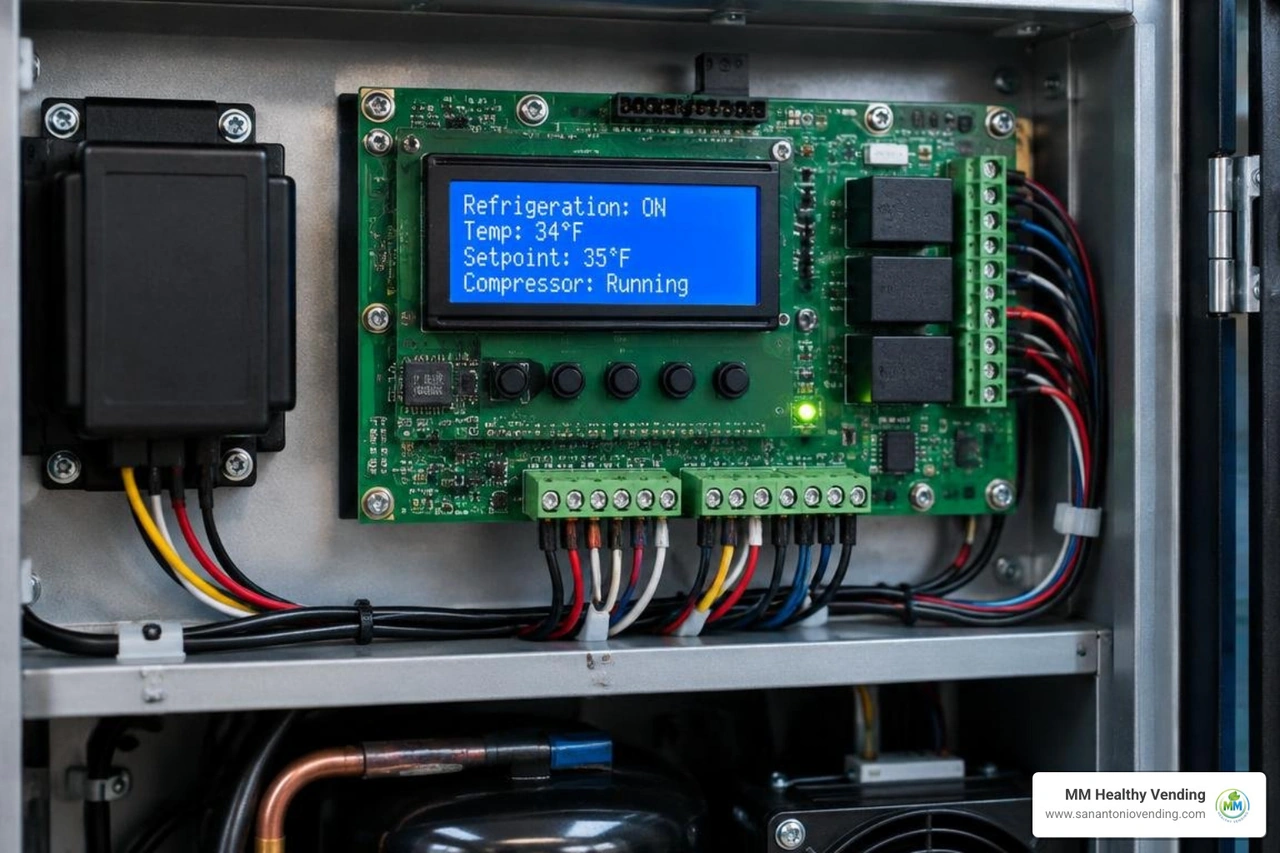
According to public health and safety protocols:
- The health and safety alarm is triggered if the internal storage temperature exceeds 42°F for a continuous 15-minute window.
- When restocking or closing the door after service, the cooling system must pull down to 45°F within 30 minutes, and achieve 41°F within 45 minutes.
- If these cooling windows are missed, the main board cuts off MDB payment systems and displays an error such as
OUT OF ORDER (1) - MAXIMUM TEMPERATURE EXCEEDED.
Reviewing our vending service guide can help property owners understand the strict thermal standards required for commercial break-room food service.
Clearing Control Board Error Codes
When a control board locks out, simply closing the door will not always restore service. Technicians must access the internal control panel to clear stored error flags.
To access diagnostic routines across common vending boards (such as GVC1, GVC2, or Flex boards):
- Enter Service Mode: Open the main cabinet and locate the yellow or red service button on the logic board assembly. Press it once to access the diagnostic menu.
- Review Active Error Codes: The display will show active faults, such as
JAM MOTOR,DOORSWITCH, orTEMP EXCEEDED. Press selection buttons (typically Button 2) to view specific jammed columns or motor numbers. - Verify Motor Count: Run a motor scan to let the board query every shelf. The board must detect and count all installed spirals before it will exit the out-of-service state.
- Perform Tube Fill Routines:
- On GVC1/GVC2 boards: Press 1 to enter Tube Fill mode and manually feed at least 20 to 30 coins of each denomination (nickels, dimes, quarters) so the board accurately tracks coin inventory.
- On Flex boards: Insert coins directly into the top of the coin changer cassette while in service mode until minimum operational levels are registered.
- Clear Error Flags: Press the designated clear key on the board keypad to erase past fault logs, then exit service mode.
Managing Health and Safety Lockouts
If an H&S alarm stops your machine, clearing the error requires addressing the underlying cooling issue first:
- Check Door Gaskets: Torn, loose, or brittle rubber magnetic gaskets allow warm ambient air to seep inside, causing ice buildup on the evaporator coils and tripping the 15-minute thermal timer.
- Inspect the Door Switch: The door interlock switch signals the control board that the cabinet is sealed. A broken switch bracket tricks the machine into believing the door is constantly open, disabling the refrigeration compressor.
- Safe Product Disposal: If a machine suffered an extended power outage and remained above 42°F for over an hour, perishable dairy and fresh meals must be discarded. Never reset a thermal lock without verifying the freshness of perishable inventory.
- Compressor Cycling: Clean dust and lint away from the lower condenser radiator. Restricted airflow prevents heat transfer, causing compressor thermal overloads and refrigeration failure.
DIY Maintenance vs. Professional Service Requests
Routine facility cleaning helps avoid simple breakdowns, but complex electronic repairs require certified tools and training. Basic preventative maintenance typically costs between $25 and $50 per machine annually for sanitization and sensor cleaning, saving hundreds of dollars in lost downtime over the machine's lifespan.
Understanding where simple maintenance ends and professional repair begins is essential for facility managers:
Tasks You Can Handle In-House
- Visual Jam Clearance: Clearing an unbent snack bag caught in a delivery drop gate.
- Exterior Optical Cleaning: Wiping bill validator lenses, coin insert slots, and tap-to-pay glass using a soft microfiber cloth and isopropyl alcohol.
- Cabinet Leveling: Adjusting threaded leg levelers so the machine sits level, preventing door sag and coin track misalignment.
- Power Checks: Verifying the wall GFCI outlet is delivering steady 115V power without tripping breaker switches.
Tasks Requiring a Professional Technician
- Refrigeration Servicing: Handling sealed Freon lines, condenser fan motors, or compressor start relays.
- MDB Board & Harness Diagnostics: Tracing low-voltage signal shorts across control boards and peripheral drop sensors.
- High-Drop Mechanical Overhauls: Replacing bent elevator tracks, broken spiral motor gearboxes, or main door hinges.
- Equipment Retirement & Replacement: When an aging unit suffers continuous system-wide board failures, coordinating commercial equipment removal and disposal in places like Helotes, TX clears space for modern automated retail.
For businesses looking to upgrade their staff break rooms without maintenance headaches, modern vending machines in San Antonio offer smart telemetry, automated self-healing software, and fast local support.
Frequently Asked Questions About Out-of-Service Vending Machines
What is the most common reason a vending machine goes out of service?
The single most frequent trigger for an out-of-service message is a mechanical product jam or coin validator obstruction. When an item lodges in the delivery drop bin, or foreign debris blocks the coin acceptance track, internal optical sensors tell the control board to halt transactions to prevent charging customers for undelivered products.
How do I clear a health and safety temperature alarm on a vending machine?
To clear an H&S temperature alarm, first fix the cooling issue (such as closing an ajar door, clearing a blocked intake vent, or letting the compressor finish a defrost cycle). Discard any spoiled perishable food items. Open the cabinet, press the yellow service switch on the main control board to enter diagnostic mode, clear the active error flag, and let the machine run its door-close pull-down test to confirm internal temperatures reach below 41°F within legal limits.
What details should I provide when reporting an out-of-service vending machine?
When placing a service call or submitting an online customer support ticket, always provide:
- The machine serial number or internal asset ID tag.
- The exact building, floor, or break-room location.
- The specific error code showing on the digital display (e.g.,
JAM MOTOR 102,OUT OF ORDER 1). - An overview of visible symptoms (e.g., cooling failure, bill reject, spiral continuously spinning).
Conclusion
A vending machine that is out of service causes immediate disruptions for hungry employees, busy guests, and building managers. Fortunately, systematically diagnosing payment systems, checking for mechanical jams, aligning elevator bins, and monitoring temperature thresholds makes it straightforward to resolve simple outages quickly and identify when expert assistance is required.
At MM Healthy Vending, we eliminate vending headaches entirely. We provide zero-cost, fully managed smart vending machines, micro markets, and AI-driven coolers to businesses throughout San Antonio, New Braunfels, Boerne, Schertz, Seguin, Helotes, and Alamo Heights. Our equipment features real-time wireless diagnostics backed by a dedicated 2-hour local support response, ensuring your break room stays fully operational every day. Explore our complete range of full-service refreshment solutions to upgrade your workplace refreshments today.
You might also like...
More articles like the one you've read to keep you up-to-date on all things vending in San Antonio


Why San Antonio businesses choose us
Premium service, local expertise, cutting-edge technology
AI-powered smart coolers
Advanced computer vision technology for seamless, cashless transactions. Just grab what you need and go.
cashless
24/7 service
Round-the-clock support with an average 2-hour response time for any issues.
Local & trusted
Family-owned business proudly serving San Antonio since 2024
Ready to upgrade your breakroom?
Join hundreds of San Antonio businesses enjoying free, premium vending soutions